Document scanner for Android
Paperwork, done on your phone.
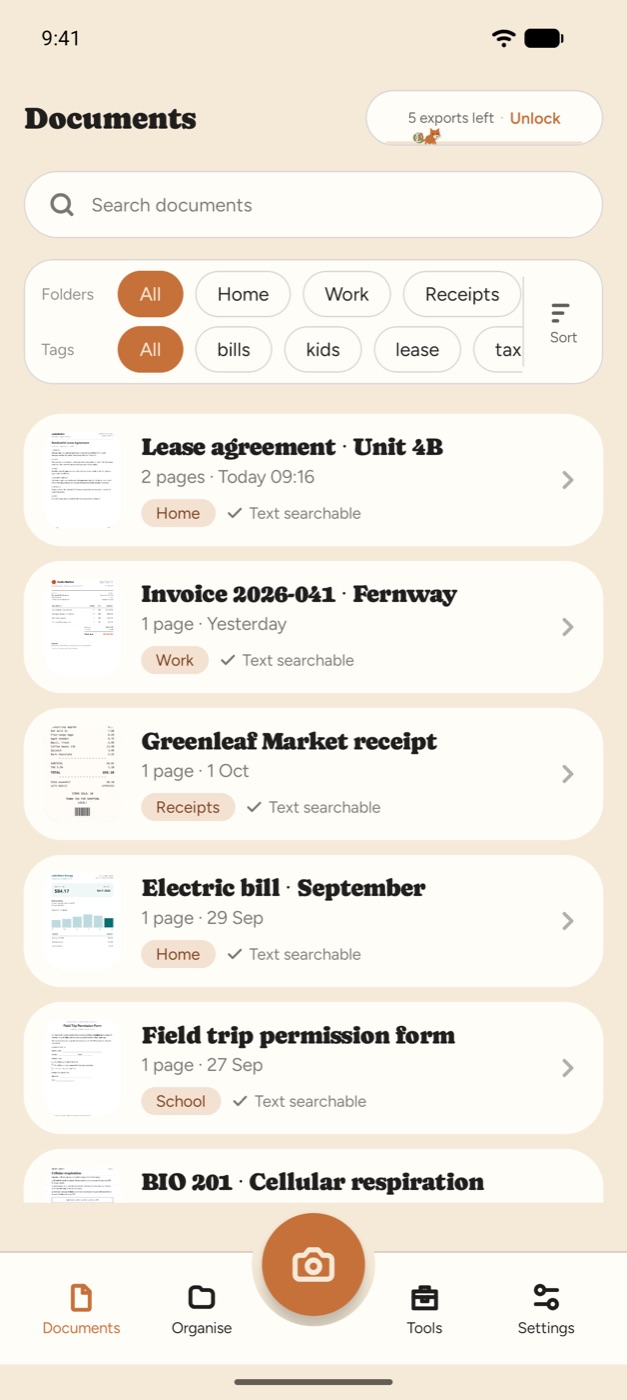
Scan it, fill it in, sign it and send it. Paperleaf turns paper into clean PDFs, with no ads, no watermarks and no subscription.

- No adsNot one, anywhere.
- No watermarksYour PDFs look like yours.
- Pay onceNo subscription to cancel.
- On your phonePages are processed on the device.
Fill & sign
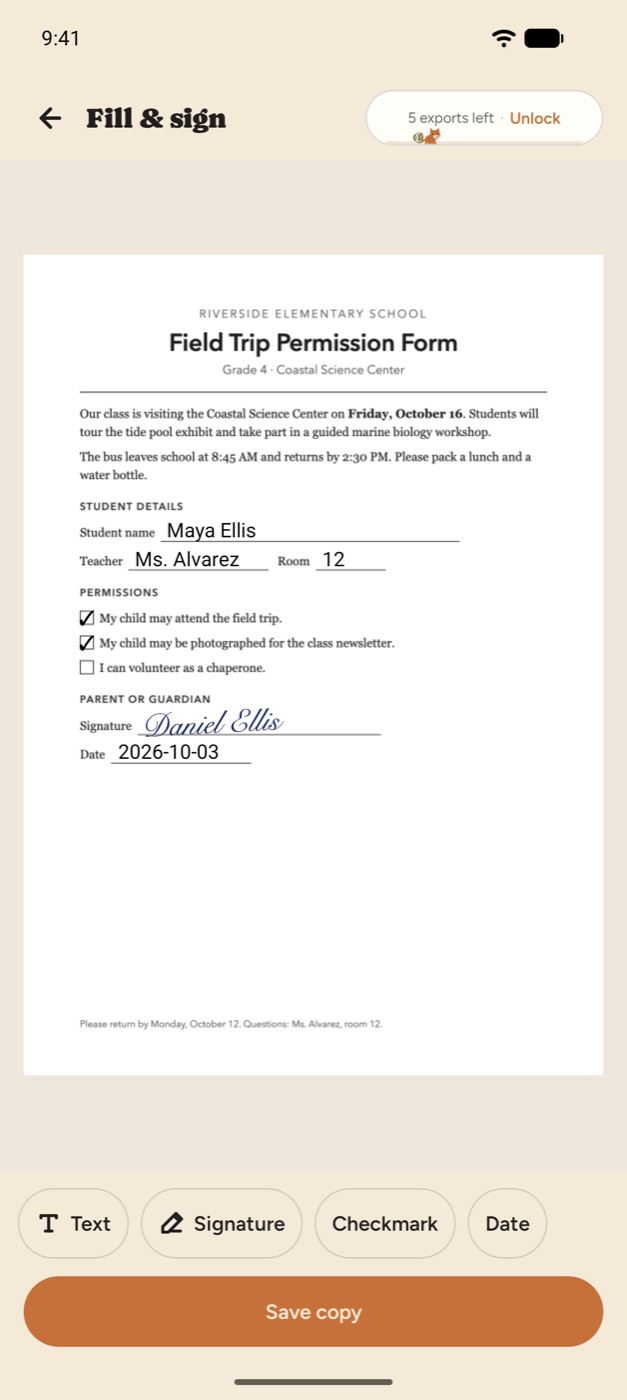
Fill it. Sign it. Send it.
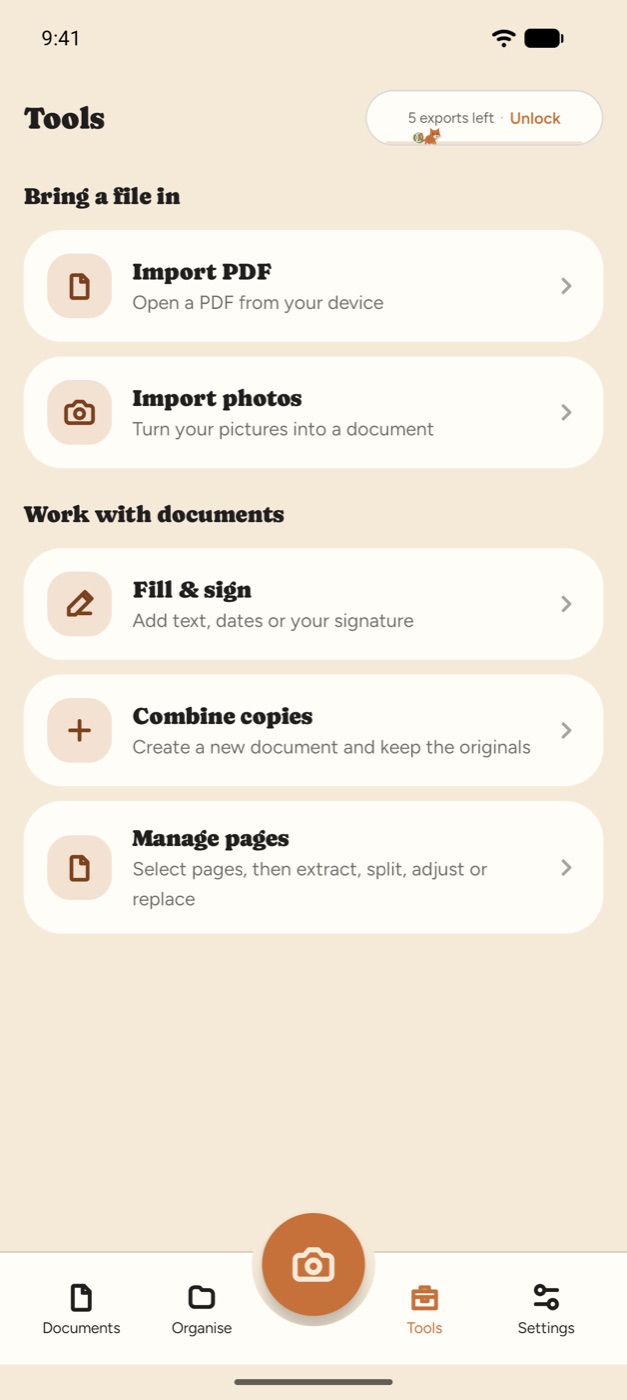
Add text, dates, checkmarks and your signature to any page. Draw your signature once and reuse it. Move and resize every mark, then save a finished copy that is ready to share.
Text search
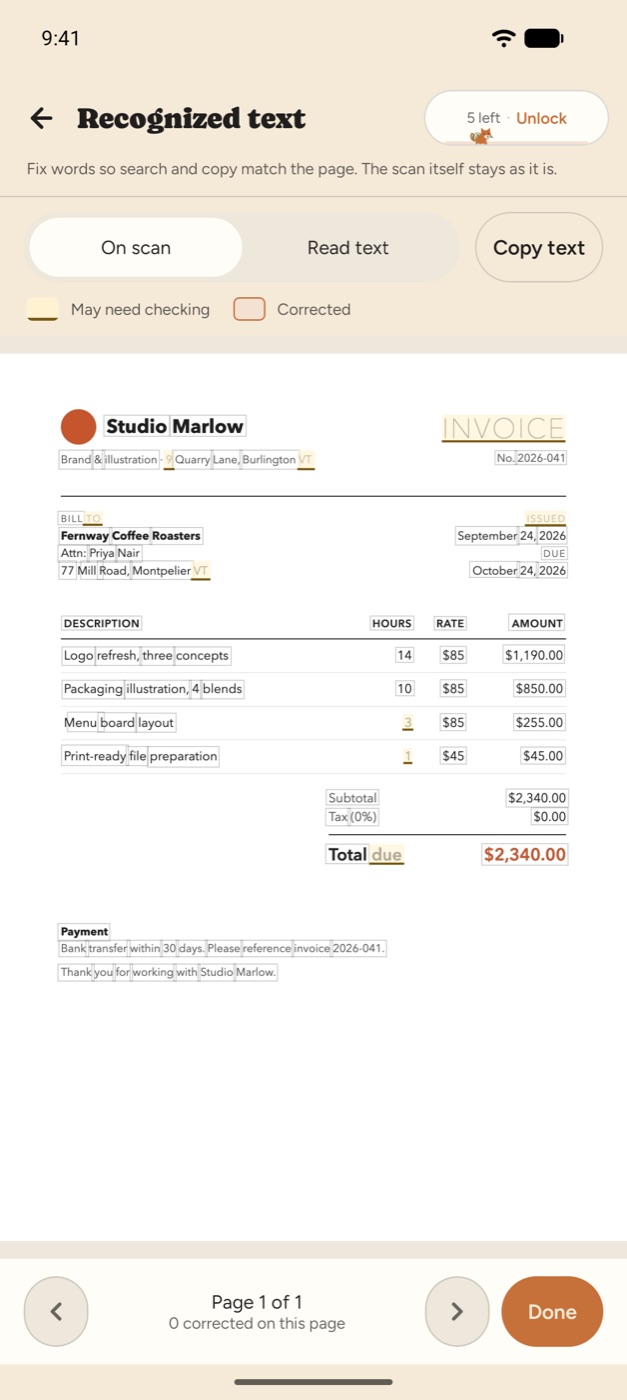
Find any word you scanned.
Paperleaf reads the text on your pages, so search looks inside receipts, contracts and notes, not only their titles. Fix a misread word in place, then export a searchable PDF or plain text.
Export
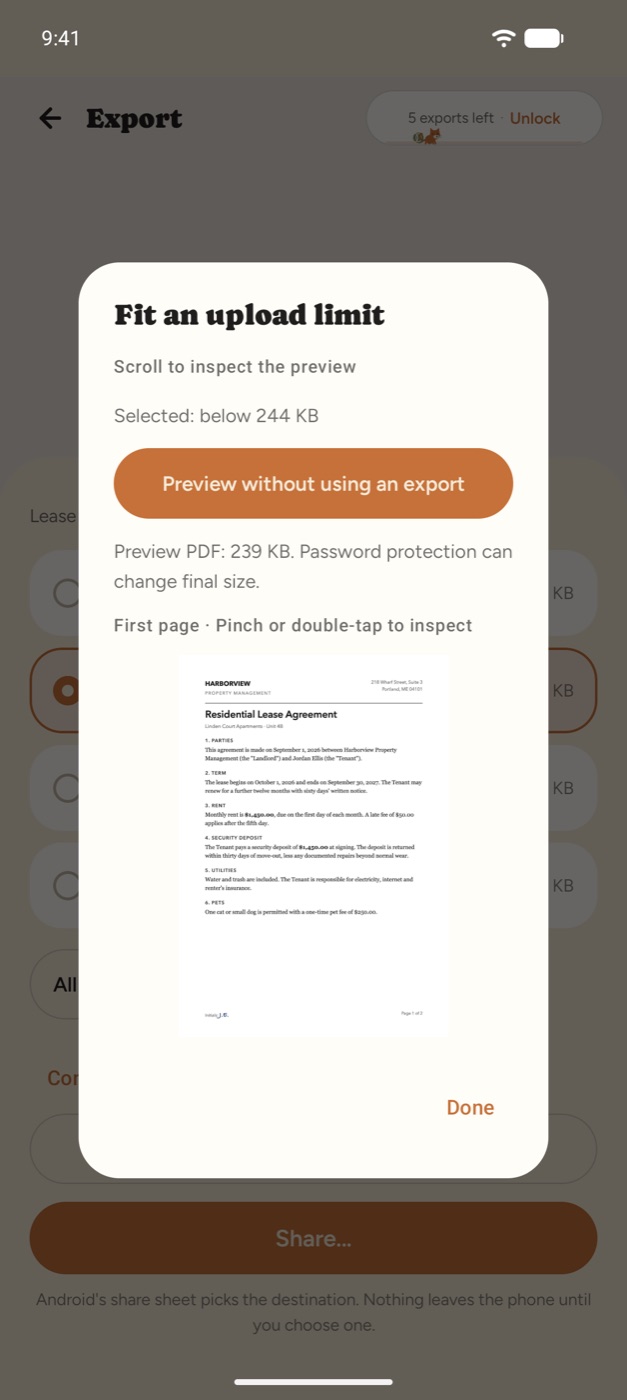
Fits any upload limit.
Pick a target file size and see the result before you share it. Export PDF, JPEG or text, choose the paper size, and add a password when a document holds something private.
Page tools
Merge, split and reorder.
Combine documents, extract or split pages, put them in order and replace one with a fresh scan. Sort everything into color-coded folders, tag it and search the whole library.
Private by design
Your documents stay on your phone.
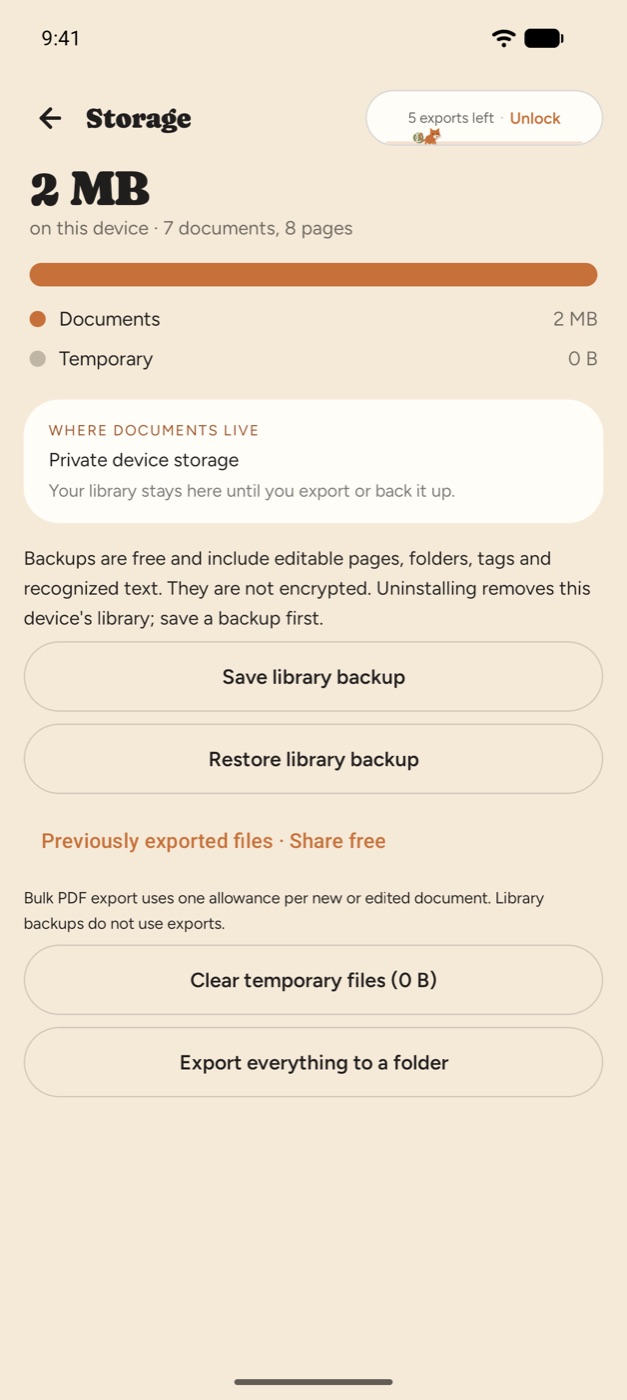
Scanning, text recognition and editing run on your device, and your pages are never uploaded to our servers. Lock the app with your fingerprint, face or PIN. Save a full library backup whenever you like, and restore deleted documents for 30 days.
Pricing
Try it free. Pay once if you love it.
Free
$0
- Every scanner and PDF tool
- 5 document exports
- Re-export unchanged documents for free
- Library backups, always free

Unlimited
$9.99 once
- Unlimited exports, for life
- No subscription, no renewal
- Works offline once activated
- Restore with your Google account
Applicable taxes are shown at checkout. Free exports need a Google sign-in and an internet connection.
A portion of this app’s earnings helps buy food for stray cats.
Questions
Good to know
Which languages can it read?
Text recognition covers Latin-script languages such as English, French, Spanish and German. Pages in other scripts are scanned, stored and exported as images, but their text can't be searched.
Can I edit an existing PDF?
Yes. Imported PDFs become image pages, and you can add text, dates, checkmarks and signatures, then save a new copy. The original text paragraphs, interactive form fields and digital signatures are not carried over.
Does it work without internet?
Scanning, text recognition and editing run on your phone. The scanner is delivered by Google Play services the first time you use it. Free exports and activating Unlimited need a connection. Once activated, Unlimited exports work offline.
What counts as an export?
Saving or sharing a new or changed document uses one export, however many pages it has. Exporting the same unchanged document again is free.
What happens if I change phones?
Save a library backup and restore it on the new phone. Backups are not encrypted, so keep them somewhere safe. Restore Unlimited by signing in with the same Google account.

From paper to done.